





If you scroll through TikTok for even a few minutes, you’ll notice creators using eye-catching, stylized text in their bios, captions, and videos. That’s not a hidden TikTok feature — it’s a simple trick anyone can learn. Knowing how to change font on TikTok can instantly make your profile and posts look more polished and professional. Whether you want bold, cursive, bubble, or glitchy text, there are several easy methods to achieve it. This guide walks you through every option, step by step, so your content stands out in a crowded feed.
Why Changing Your TikTok Font Matters
Standing out on TikTok isn’t just about the video itself anymore. Small visual details, like the font style in your bio or caption, shape how people perceive your brand within seconds of landing on your profile. A creative font can make your username, bio line, or on-screen text feel more memorable and shareable, especially when your niche revolves around fashion, beauty, comedy, or lifestyle content.
Font styling also helps your content feel more intentional. Plain default text can look generic, while a stylized font signals that you put effort into your page. Brands and influencers frequently use unique fonts to reinforce their personal aesthetic, making their profile instantly recognizable among thousands of similar accounts.
Beyond aesthetics, fonts can improve readability in certain contexts. Bold or all-caps styles draw attention to key phrases in captions, helping viewers catch your main message even with the sound off. This is especially useful for short-form content where viewers often scroll quickly and only skim text.
Many creators also use special fonts to match trending aesthetics, such as “aesthetic,” “vintage,” or “y2k” styles that are currently popular on the platform. Aligning your text style with these trends can boost engagement because it feels current and relatable to your target audience.
It’s worth noting that TikTok itself doesn’t offer a native font-changing menu inside its typing tool. Instead, creators rely on external generators and copy-paste tricks, which we’ll break down in detail below. Once you understand the process, switching styles takes less than a minute.
Ultimately, font choice is a small but powerful branding tool. It costs nothing, requires no design skill, and can be changed as often as you like to match different moods, campaigns, or seasonal content themes.
Method One: Using a Font Generator Website
This is the most popular and beginner-friendly way to change your TikTok font.
Font generator websites convert your regular text into stylized Unicode characters that you can copy and paste directly into TikTok. Because these are actual Unicode symbols and not image files, they work in your bio, captions, and comments.
How the Process Works
- Open a font generator site such as LingoJam, FontVilla, or CoolSymbol
- Type your desired text into the input box
- Browse through dozens of generated font styles (bold, cursive, bubble, strikethrough, and more)
- Copy the style you like best
- Paste it directly into your TikTok bio or caption field
Things to Keep in Mind
- Not every generated font is fully supported on all devices, so preview it before posting
- Overly complex symbols may not display correctly for every viewer
- Stick to fonts that remain readable, even if they look decorative
This method requires zero technical skill and takes under two minutes once you find a generator you like.
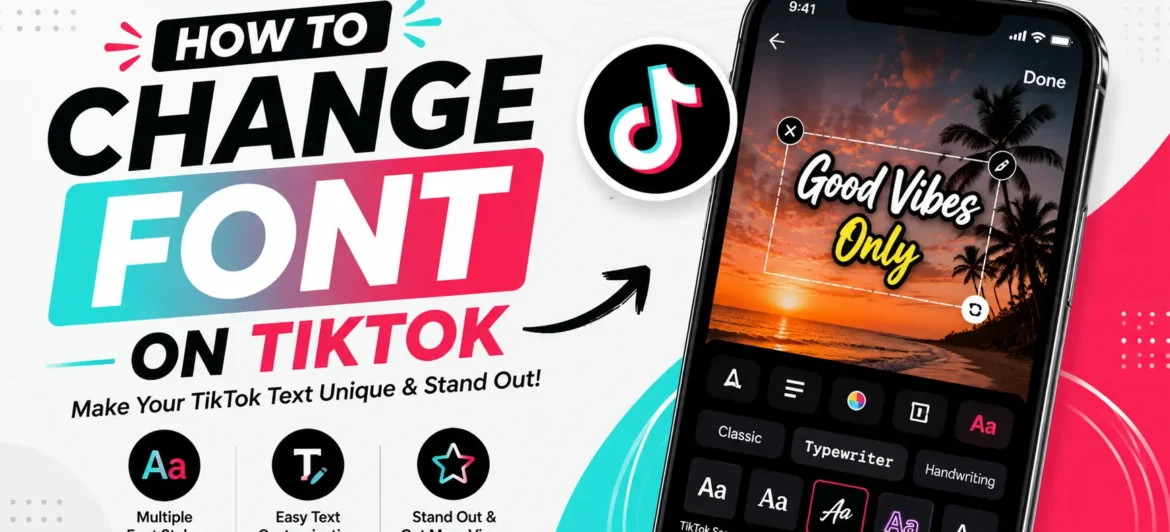
Method Two: Changing Fonts Directly Within the TikTok Caption Tool
TikTok’s built-in editor actually does include a few native text style options, though they’re limited compared to external generators. This method works well if you want something quick without leaving the app.
- Record or upload your video as usual on the TikTok app
- Tap the “Aa” text icon on the editing screen after your clip is ready
- Type your caption or on-screen text
- Swipe through the font options shown at the bottom of the text toolbar
- Select a style such as bold, typewriter, neon, or serif
- Adjust size, color, and alignment before tapping “Done”
- Position the text box anywhere on your video frame
This built-in option is more limited than external generators, but it integrates animation effects and highlight colors that Unicode text cannot replicate. It’s ideal for on-screen captions rather than bio text.
Method Three: Using Third-Party Keyboard Apps
For creators who frequently switch fonts, installing a specialized keyboard app can save time. Apps like Fonts Keyboard or Fancy Text Pro let you type directly in a stylized font without needing to copy and paste from a browser every time.
Once installed, these keyboards typically add themselves as an option in your phone’s keyboard settings. You simply switch keyboards while typing inside TikTok, choose your preferred font, and type as normal. The stylized characters appear instantly, ready to paste or type directly into any field.
This approach is especially convenient for creators who post frequently and want a consistent, signature font style across every bio update, comment reply, and caption without repeating the copy-paste process each time.
Keep in mind that some keyboard apps include ads or require a subscription for premium fonts, so it’s worth comparing a few free options before committing to one.
Method Four: Matching Font Styles to Your Content Niche
Choosing the right font isn’t only about looking different — it’s about looking consistent with your brand.
Different niches tend to favor different font aesthetics, and picking one that matches your content type can strengthen your overall page identity.
- Beauty and fashion creators often favor cursive or elegant serif-style fonts
- Comedy and meme accounts tend to use bold, chunky, or bubble fonts for emphasis
- Tech and finance creators typically stick with clean, minimal, sans-serif styles
- Gaming and anime accounts frequently use glitch, neon, or futuristic-style fonts
Testing a few different styles across a week of posts can help you discover which one resonates best with your specific audience. Pay attention to engagement patterns after switching styles, since even small aesthetic shifts can influence how viewers interact with your profile.
Common Mistakes to Avoid When Changing Fonts
Even though changing fonts is simple, a few common mistakes can undermine the effort:
- Using fonts that are difficult to read on smaller phone screens
- Overloading captions with too many different styles in one post
- Choosing symbols that render as blank boxes on certain devices
- Ignoring accessibility for viewers who rely on screen readers
Sticking to one or two font styles per post keeps your content clean and easy to scan, which matters just as much as the visual appeal itself.
Conclusion
Learning how to change font on TikTok is one of the easiest ways to give your profile a more polished, professional, and memorable appearance. Whether you use a font generator website, TikTok’s built-in caption tool, or a dedicated keyboard app, each method takes only a few minutes to master. The key is choosing a style that matches your niche, stays readable, and reflects the personality of your brand. With these simple techniques, you can start customizing your TikTok presence today and stand out in an increasingly crowded feed.